Please walk through the following steps to launch an EC2 instance from your AMI baseline:
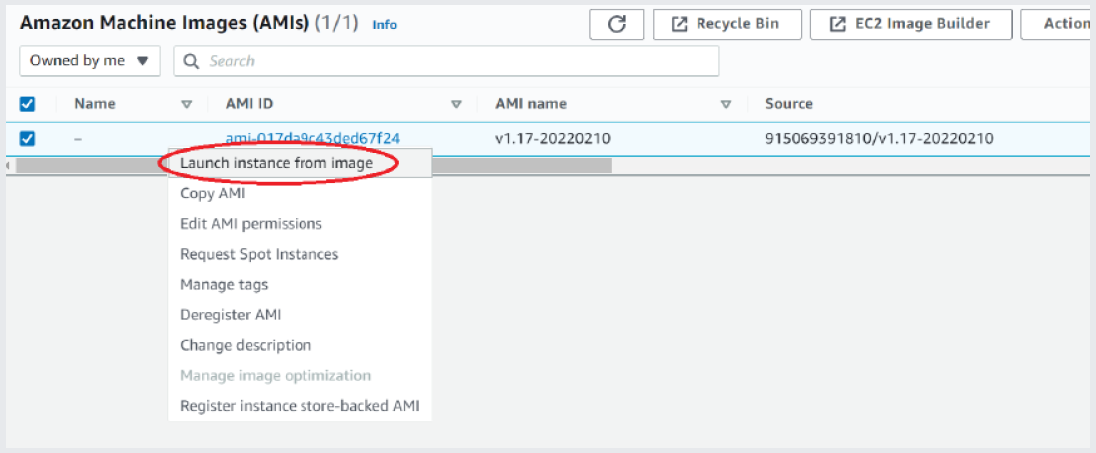
Step #1 - Right-click your AMI and select “Launch instance from image”
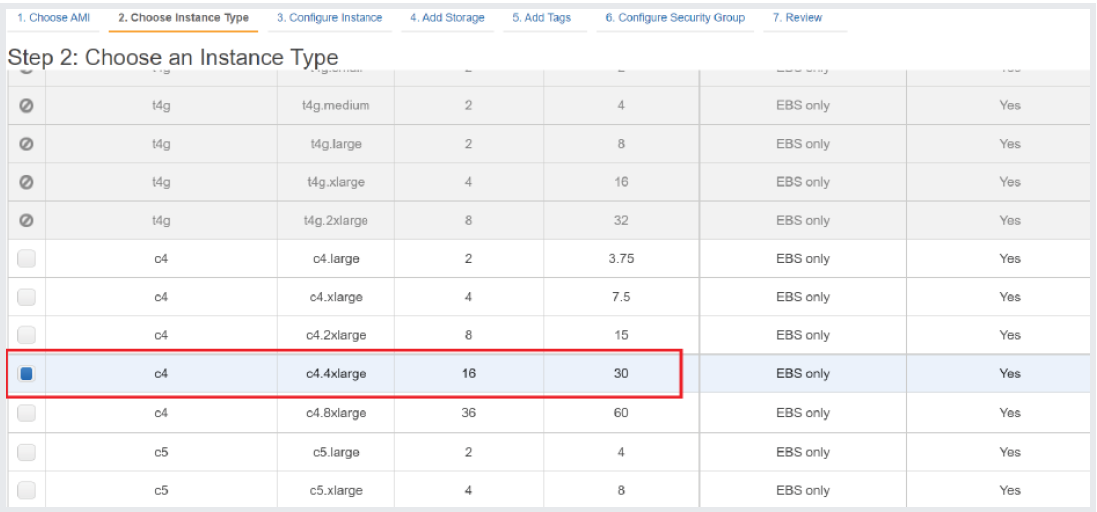
Step #2 - Choose the appropriate instance type (see “Requirements”)
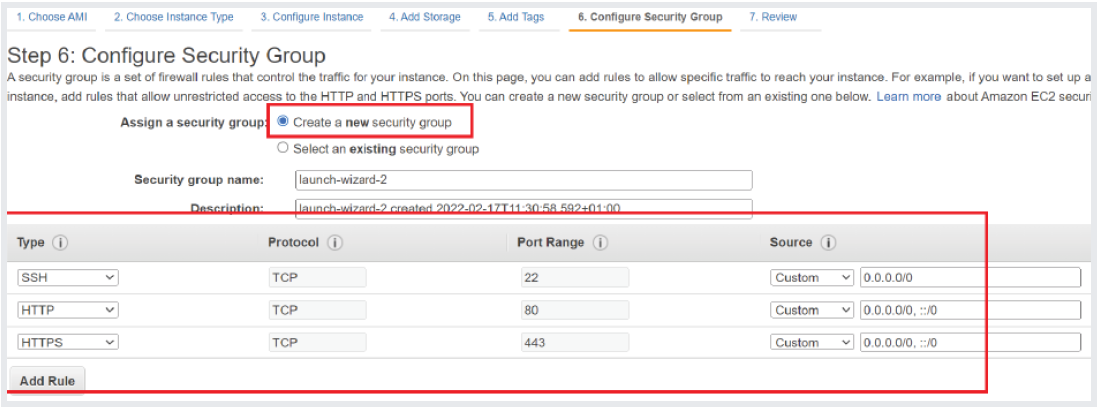
Step #3 - Create a security group that allows inbound SSH/HTTP/HTTPS access from your subnet (or in this case, from anywhere)
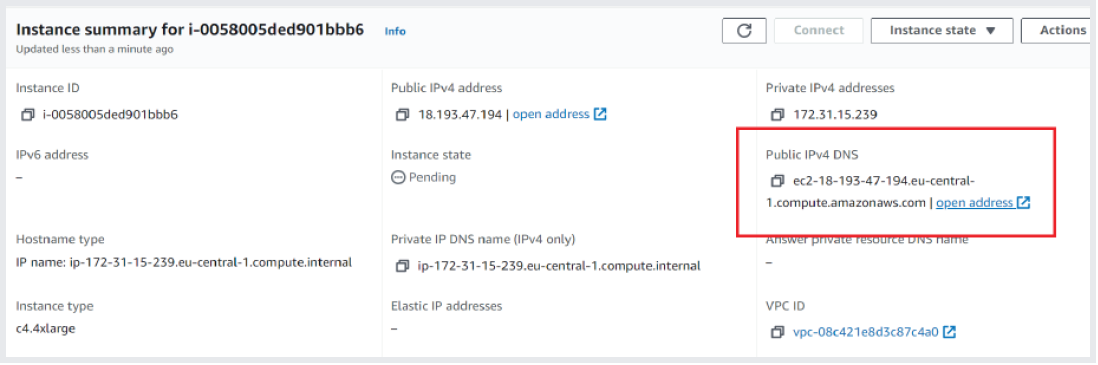
Step #4 - Launch your instance and wait for the state to switch from “Pending” to “Running”

Step #5 - The “Public IP” will be shown in the instance summary. You should be automatically redirected to HTTPS with a self-signed certificate
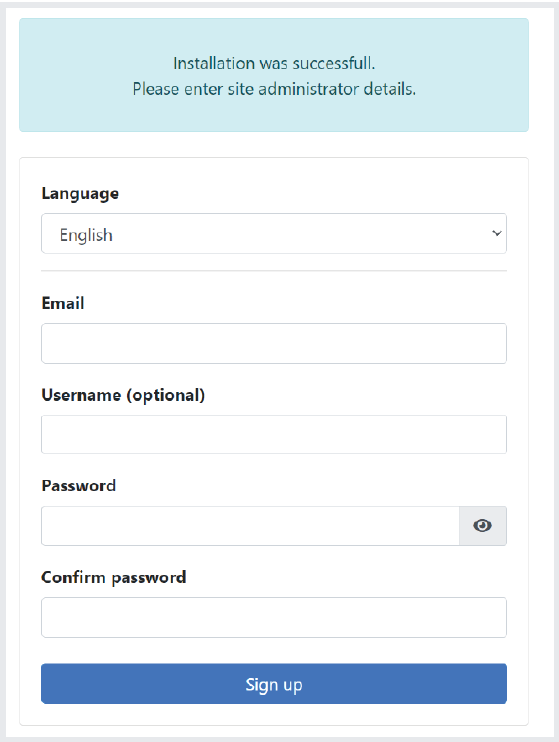
Step #6 - Setup your initial administrator. To fine-tune the system settings, head to the webservice admin panel and/or SSH into your instance and configure the Broker/Transform component or webservice according to the user guidelines.