
In the Admin Panel > Setting > Configurations > Jobs settings, jobs can be parameterized, such as the number and timing of retries, or the maximum number of database queries running in parallel.
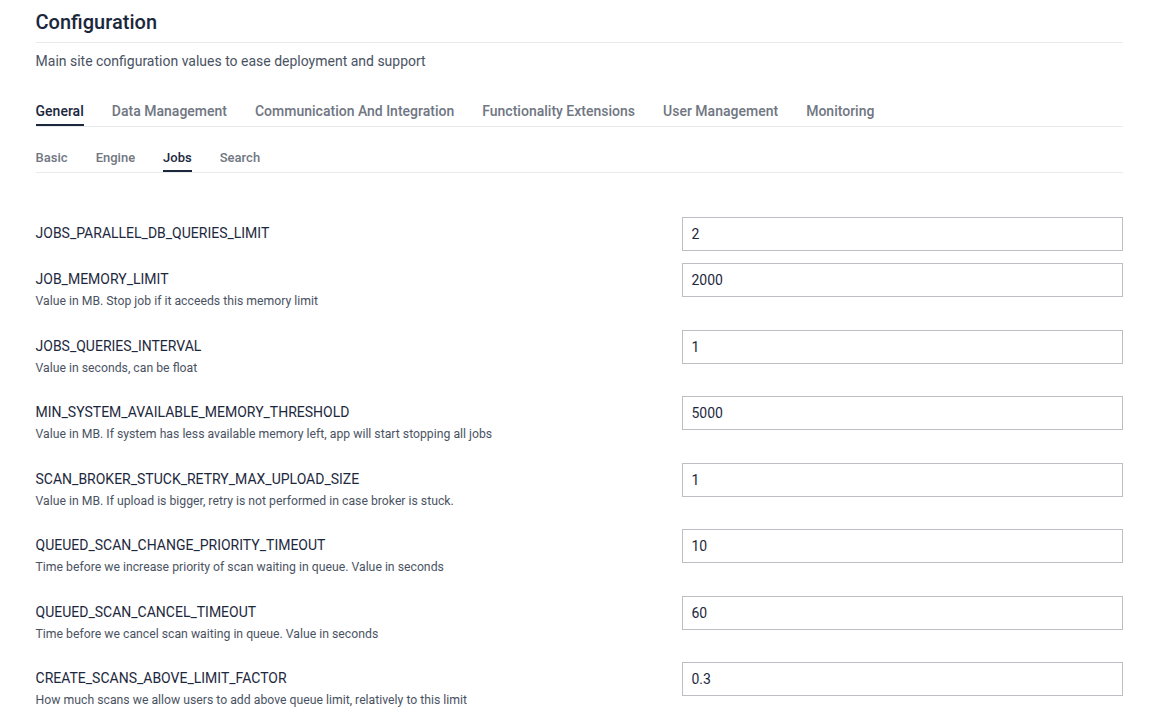
Configuration options
Field | Description | Value |
|---|---|---|
| The maximum number of database queries that can occur concurrently. | |
| Stop the job if it exceeds this memory limit. | MB |
| Defines the interval, in seconds, at which the system queries the jobs. | sec (float) |
| If system has less available memory left than this value, app will start stopping all jobs. | MB |
| If the upload size exceeds this value, retries are not performed if the broker is stuck. | MB |
| The time before the priority of scans waiting in the queue is increased. | sec |
| The time before a scan waiting in the queue is canceled. | sec |
| How many scans users are allowed to add above the queue limit, relative to this limit. (value is in %) | from 0 to 1 |
| Determines the amount of free space that remains in the target queue when moving items between queues. Set to 1 to disable changing scans priority. | from 0 to 1 |
| Max amount of quick retries due to failed report. Min of it or | |
| Amount of delayed rescan attempts to make for failed reports. Set to 0 to disable rescans. | |
| The minimum age, in hours, before a rescan can be initiated for a report. | |
| Defines the timeout period, in seconds, after which a report generation process will be interrupted if it takes too long to complete. | sec |
| Specifies the time, in seconds, to wait before retrying a failed scan request. | sec |
| Defines the initial time, in seconds, to wait before retrying a scan request if the broker is stuck | sec |
| Defines the time, in seconds, to wait before retrying a scan request if the broker is stuck after the second tries is failed. | sec |
| Defines the time, in seconds, to wait before retrying a scan request if the broker is stuck after the third tries is failed. | sec |
| Allow only certain part of queue to be occupied by rescans. | from 0 to 1 |
| Specifies the maximum number of jobs allowed with the highest priority in the scan queue. | |
| Specifies the maximum number of jobs allowed with medium priority in the scan queue. | |
| Specifies the maximum number of jobs allowed with low priority in the scan queue. | |
| Specifies the minimum number of jobs allowed with the lowest priority in the scan queue. | |
| Time limit for arq jobs from start till job is cancelled. | sec |
REPORT_FORMAT_STRINGS_LIMIT | Only include this amount of extracted strings into HTML/PDF report | |
REPORT_FORMAT_STRINGS_MODE | What strings to include into HTML/PDF report. | |
REPORT_FORMAT_HISTORY_CLEANUP_TIMEOUT | Interval to cleanup exporting reports history. Also affected by interval of launching cleanup job | min |