Configuration
3.0.0
Search this version
Configuration
Configuration
Architectural Overview
BACKEND CONFIGURATION
Title
Message
Create new category
What is the title of your new category?
Edit page index title
What is the title of the page index?
Edit category
What is the new title of your category?
Edit link
What is the new title and URL of your link?
Extra Button
Copy Markdown
Open in ChatGPT
Open in Claude
The admin can create a programmable button on the interface. Its settings can be parameterized in the Admin Panel > Setting > Configurations > Extra Button section.
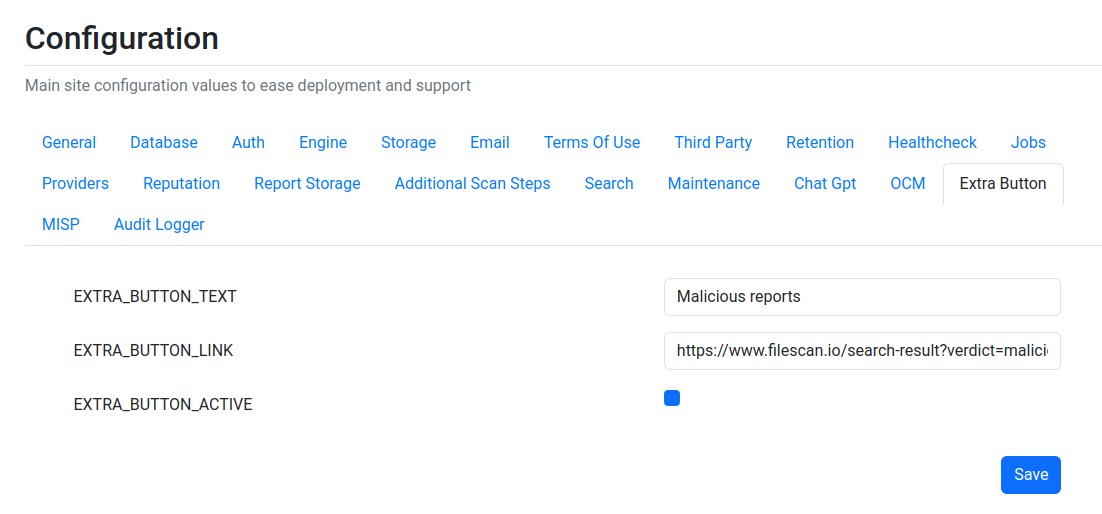
After configuration, the extra button appears on the homepage, to the left of the profile icon:

Configuration options
| Field | Description |
|---|---|
EXTRA_BUTTON_TEXT | The text of the button. |
EXTRA_BUTTON_LINK | The link where the button goes to. |
EXTRA_BUTTON_ACTIVE | Enable or disable the extra button. |
Type to search, ESC to discard
Last updated on
Was this page helpful?
Next to read:
Monitoring and LoggingSee the "Technical Datasheet" for a complete list of features: https://docs.opswat.com/filescan/datasheet/technical-datasheet
Discard Changes
Do you want to discard your current changes and overwrite with the template?
Archive Synced Block
Message
Create new Template
What is this template's title?
Delete Template
Message
