MetaDefender Sandbox on premise / platform integrates with OpenAI using the ChatGPT model, providing the ability to generate a concise executive summary for files.
The primary aim of this executive summary is to make threat analysis easier to understand by highlighting the most significant aspects of the malware report. Relevant features are extracted using MetaDefender Sandbox, with input from malware analysts, to offer a concise overview of the malware's key insights and capabilities.
The ChatGPT integration is disabled by default and requires an OpenAI key that needs to be generated by the user. Data sent to OpenAI will remain private in accordance with their privacy policy: https://openai.com/policies/privacy-policy
Generating a ChatGPT Summary
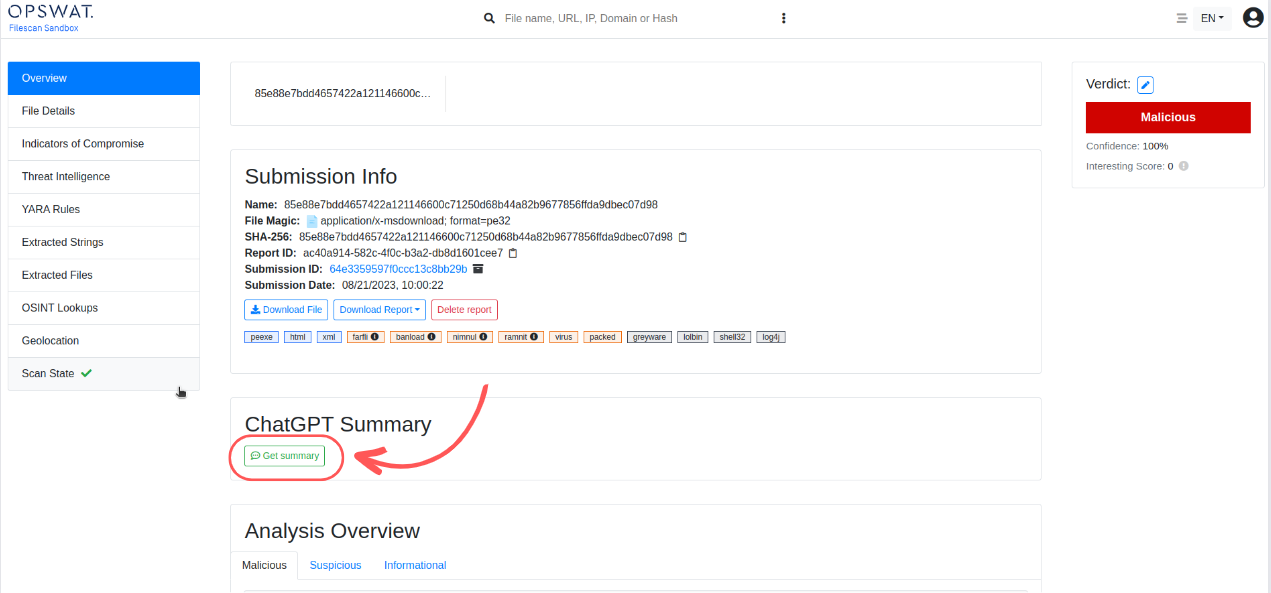
Go to Overview page and click on "Get summary" button
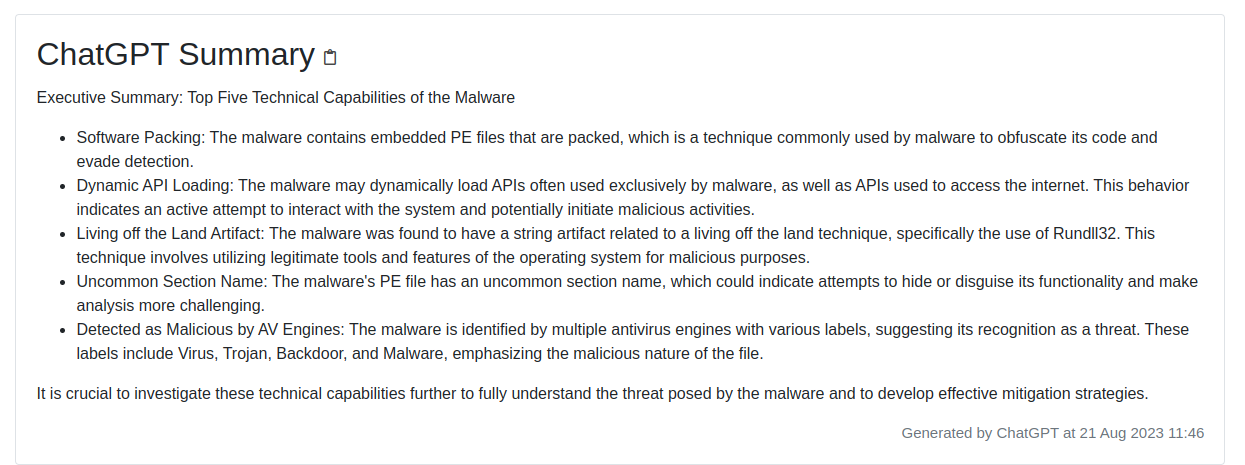
Result: ChatGPT Executive Summary will be generated:
Configuration of the ChatGPT integration
Step #1 - Go to "Admin panel" and then "Settings_____"_ page
Step #2 - Go to "Chat Gpt" sub-page and configure Open-AI API key, model, prompt
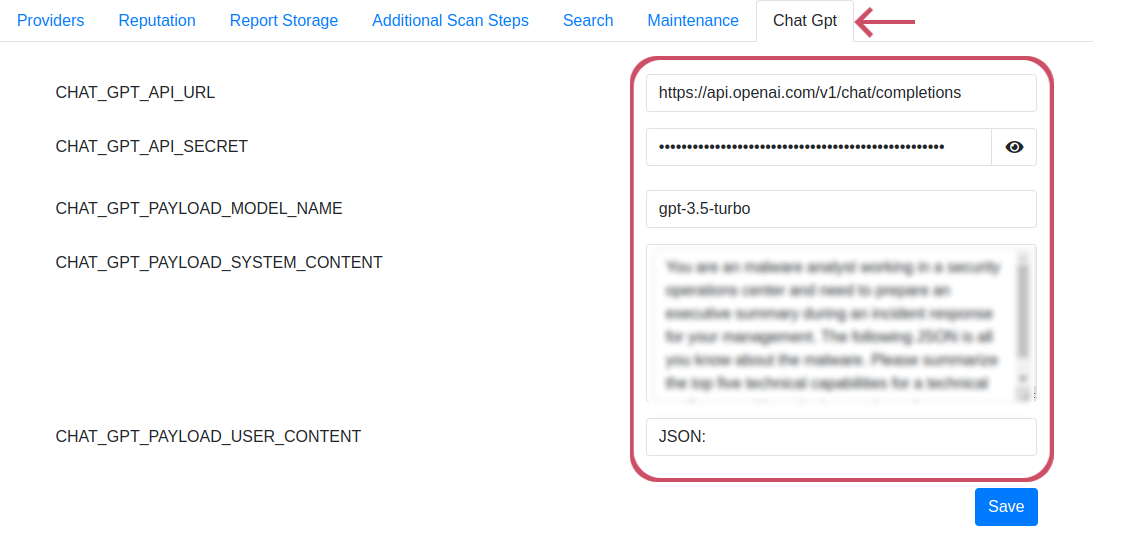
Configuration options
Field | Description |
|---|---|
| The URL of the ChatGPT server |
| ChatGPT API-key |
| The name of the payload model, for example: gpt-3.5, gpt-4 |
| With the payload system content, you can further customize ChatGPT's responses. For example: "You are a malware expert who highlights the 5 most interesting properties of the malware." |
| How would you like ChatGPT to respond |
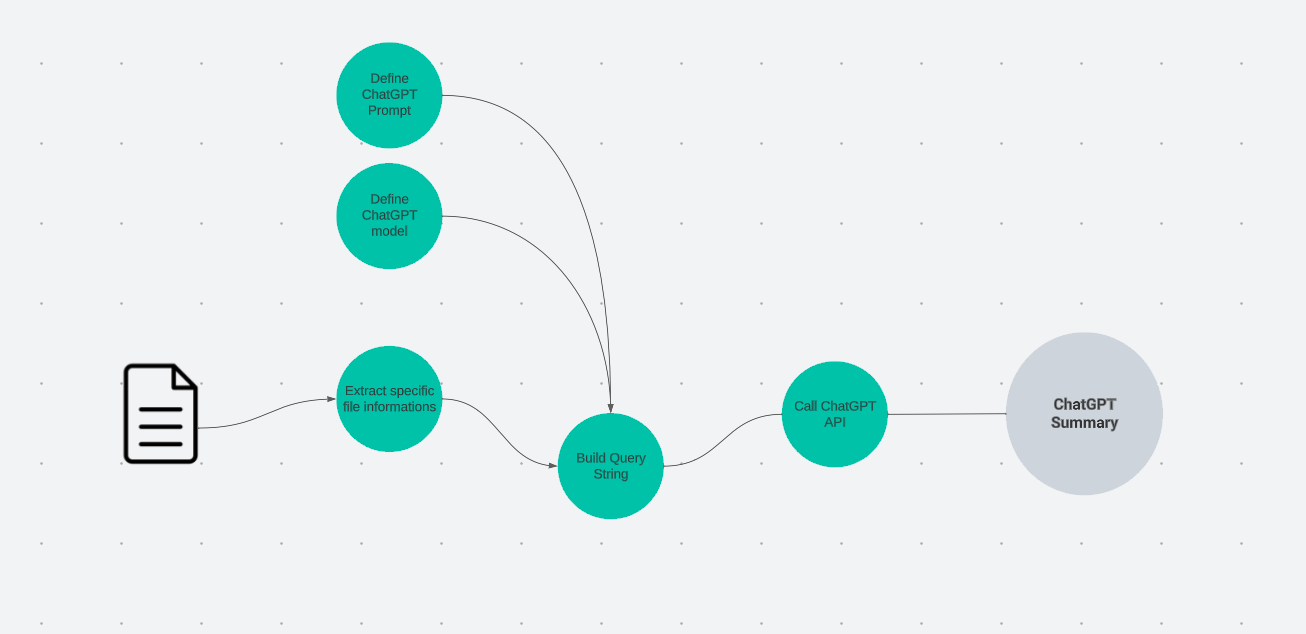
Integration Workflow
Define the ChatGPT prompt and model.
Extract specific file fields and information
Construct the query string utilizing the acquired information and request input for the selected model.
Invoke the ChatGPT API to produce the generated summary.
Display the ChatGPT summary