Overview Integrations Release Notes Operational Guide Backend OPSWAT Filescan API Reference v1
Getting Started
Support
Configuration
1.9.1
Search this version
Configuration
Configuration
Architectural Overview
Title
Message
Create new category
What is the title of your new category?
Edit page index title
What is the title of the page index?
Edit category
What is the new title of your category?
Edit link
What is the new title and URL of your link?
IMAP Integration
Copy Markdown
Open in ChatGPT
Open in Claude
Another new webservice feature is the Scan Sources capability accessible from the Top Menu. It allows configuring the webservice to pull in files/URLs from a variety of sources.
To set up an Email Scan Source navigate to Scan Sources -> Config -> Add Source.
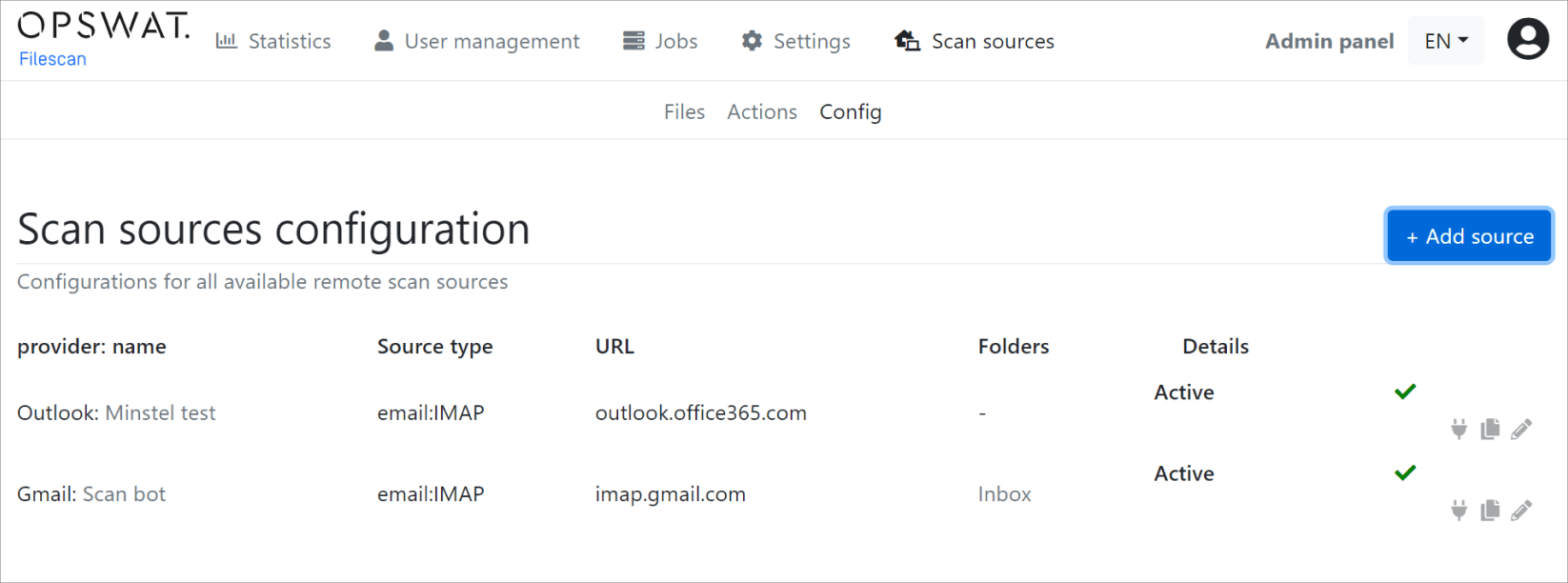
Currently, we support the configuration of IMAP accounts that are then regularly polled with a background (cron-like) job and ingested into the webservice automatically. Here are a few examples:
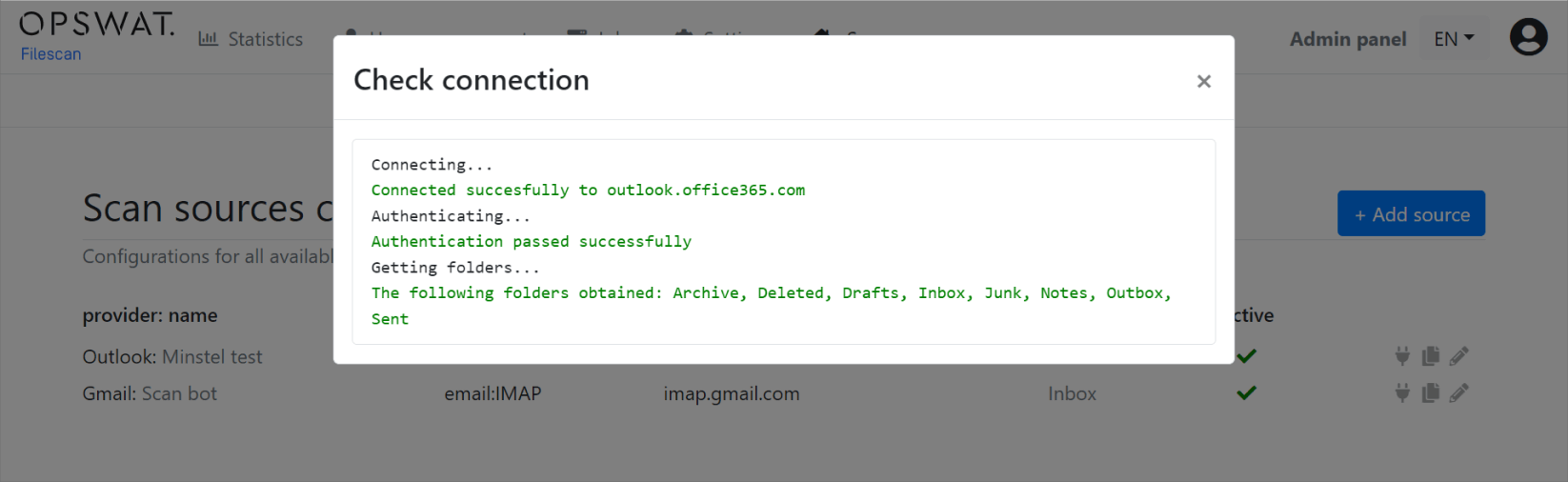
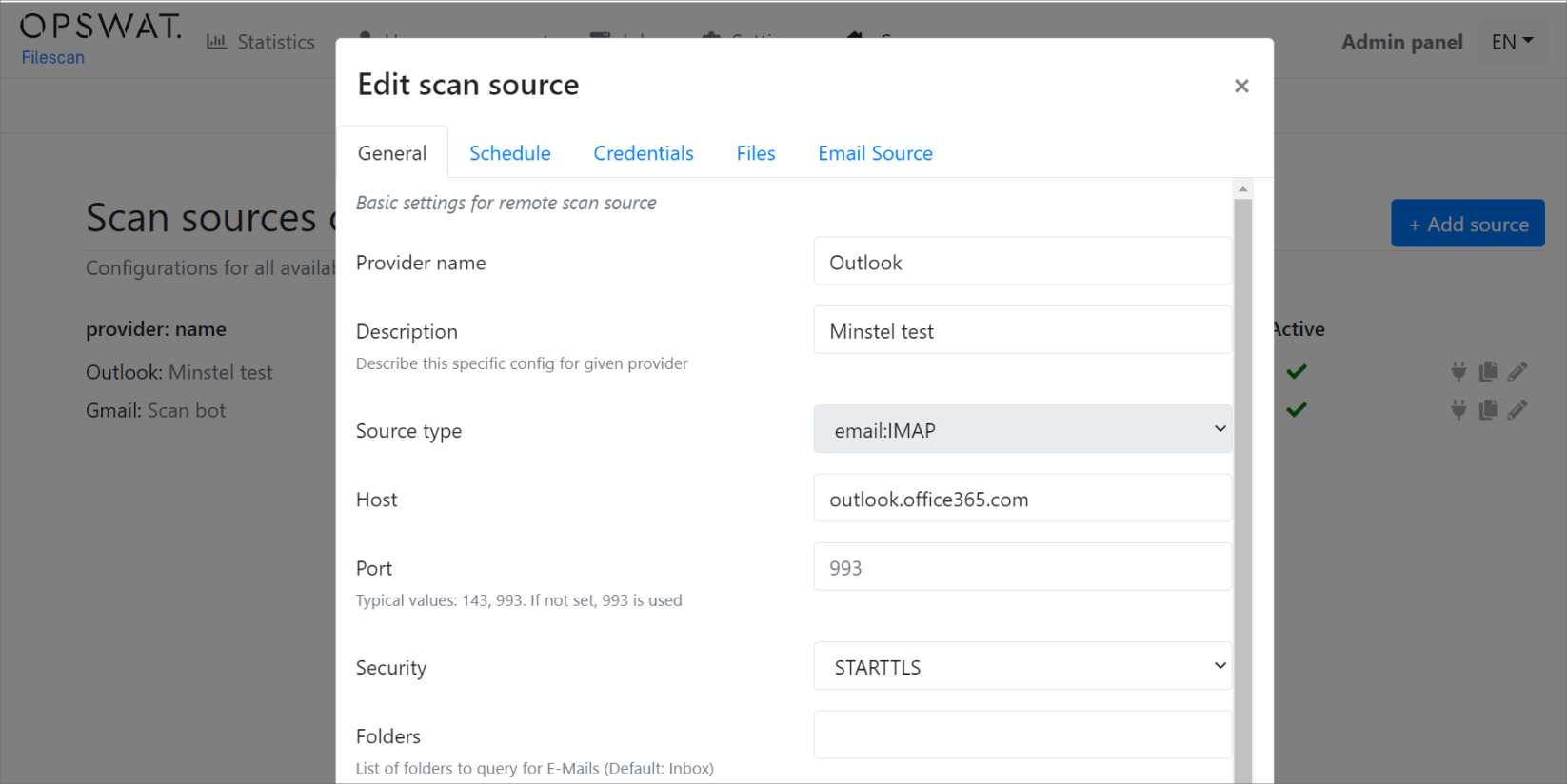
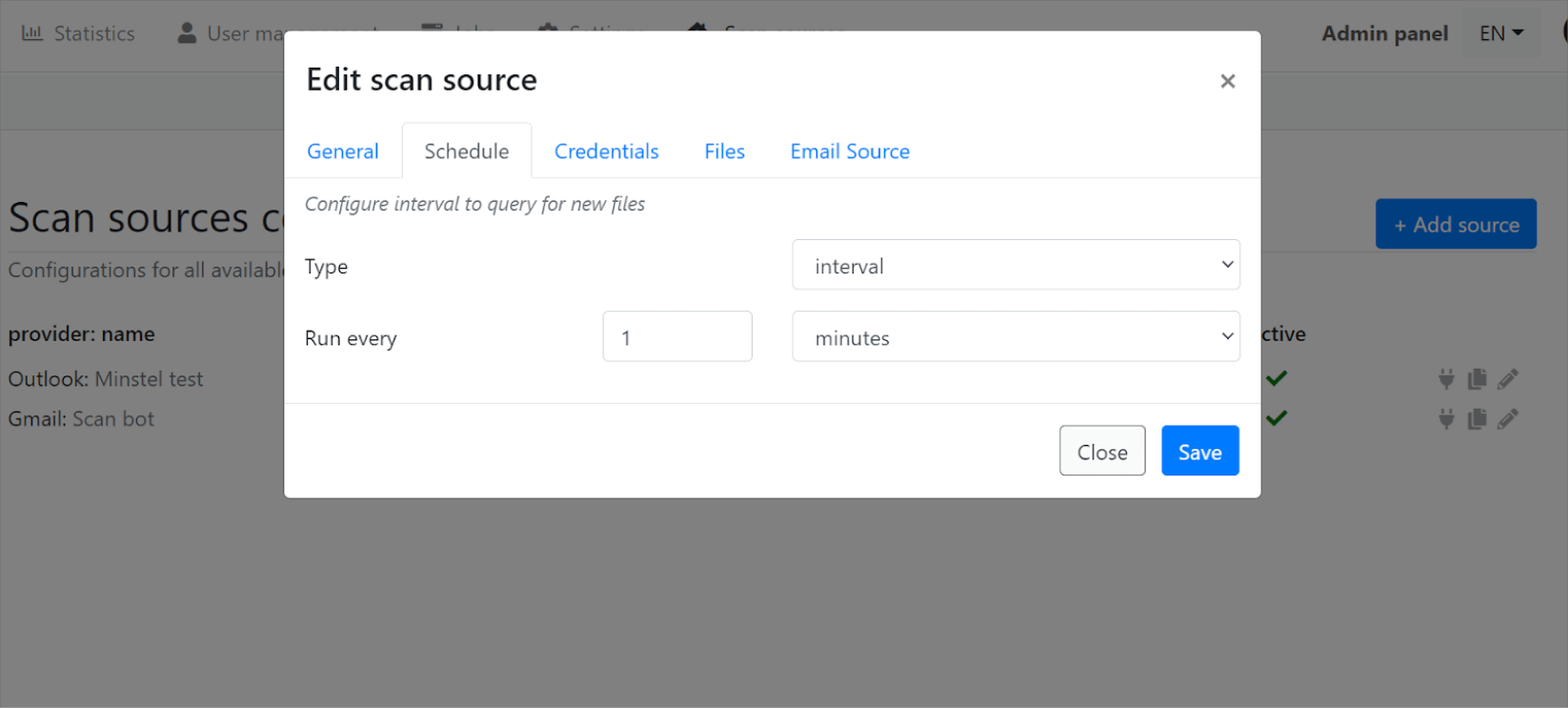
You can edit a Scan Source by navigating to Scan Source -> Config and clicking on the Pencil Icon.
Type to search, ESC to discard
Last updated on
Was this page helpful?
Next to read:
Email NotificationsSee the "Technical Datasheet" for a complete list of features: https://docs.opswat.com/filescan/datasheet/technical-datasheet
Discard Changes
Do you want to discard your current changes and overwrite with the template?
Archive Synced Block
Message
Create new Template
What is this template's title?
Delete Template
Message
