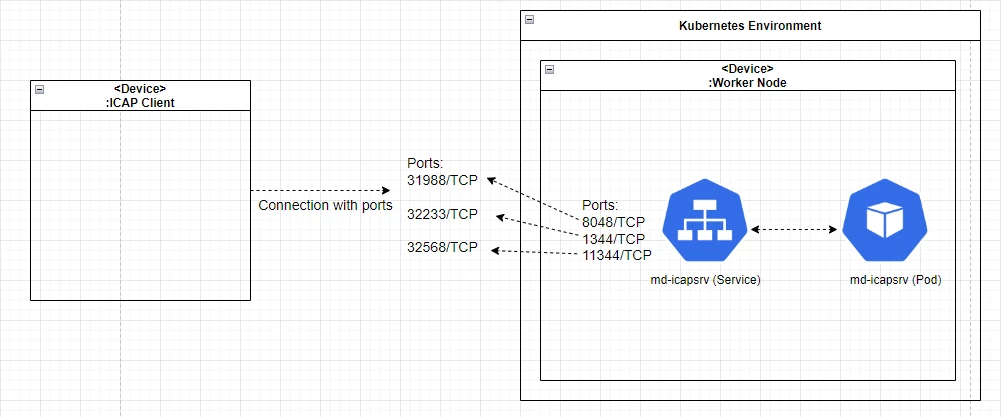
MetaDefender ICAP Server has already deploy to K8S environment by MetaDefender ICAP Server helm (refer to: Using your existing Kubernetes (K8S) cluster)
Option 1: using NGINX Ingress

Setup Metallb:
Clone metallb
update helm-bitnami/bitnami/metallb/values.yaml
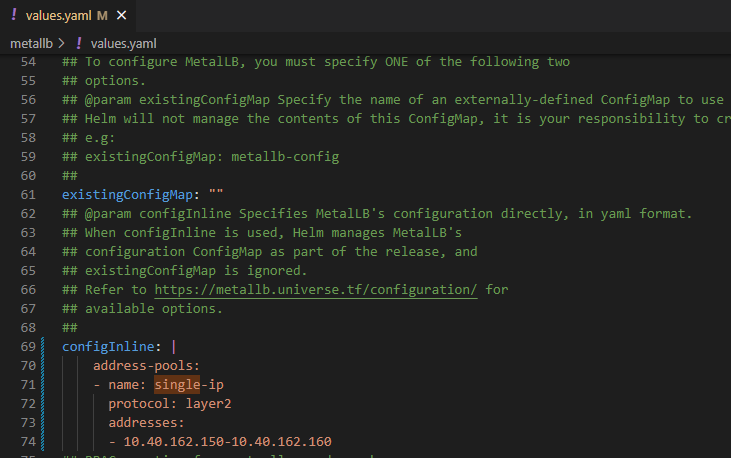
install helm chart
make sure metallb is running
Setup NGINX ingress:
get ingress-nginx
append below to values.yml
Helm install Nginx-ingress
Create file ingress.yml as below:
the hostname can be changed and this is used as the domain to connect to MD ICAP Server
E.g:
host: md-icapsrv-ui.example.com
Create ingress resources on Kubernetes
Verify Metallb assign IP address external to Nginx-ingress
The UI to connect to MD ICAP Server
ICAP: md-icapsrv.opswat.local:1344/OMSScanReq-AV
ICAPS: md-icapsrv-tls.opswat.local:11344/OMSScanResp-AV
E.g: for Squid integration
ICAP:
icap_service metascan_req reqmod_precache bypass=0 icap://1md-icapsrv.opswat.local:1344/OMSScanReq-AV
ICAPS:
icap_service metascan_resp respmod_precache bypass=0 icap://md-icapsrv.opswat.local:11344/OMSScanResp-AV
Option 2: Using NodePort
Update field service_type from ClusterIP to NodePort in values.yaml of ICAP helm and save to file update_nodeport_values.yml
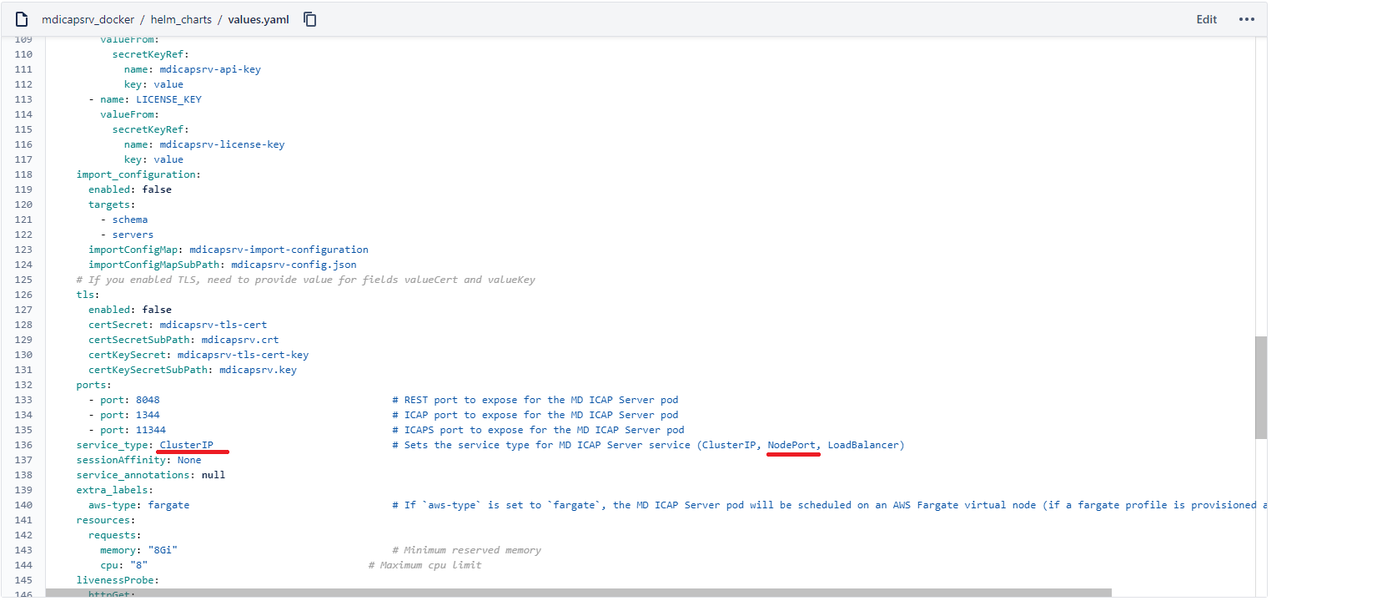
Update config
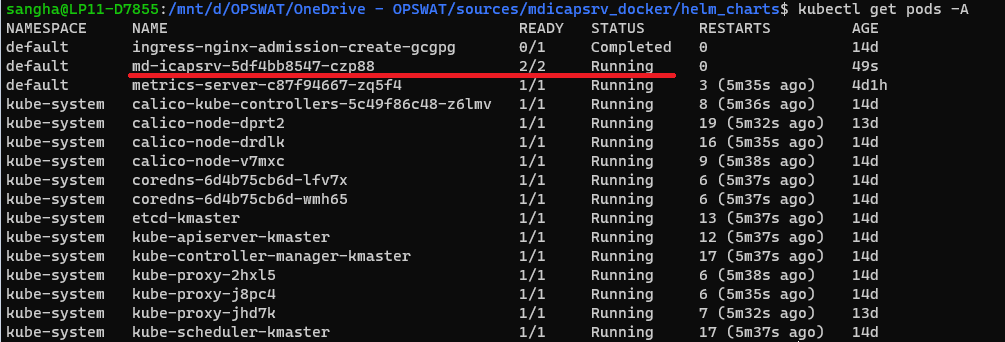
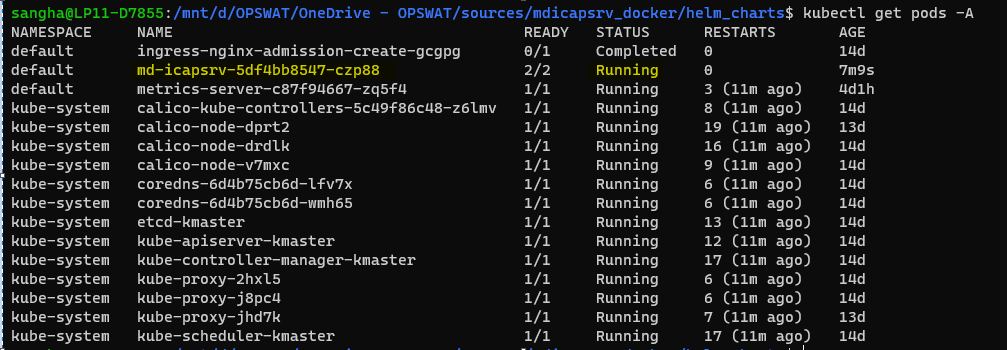
make sure pod MetaDefender ICAP Server is running
For example: this case md-icapsrv-5df4bb8547-czp88 is running
Get service port with CLI
For example: the service port mapping ressult:
8048:31988/TCP
1344:32233/TCP
11344:32568/TCP

Check the MetaDefender ICAP Server is running on the worker node
Describe pod md-icapsrv-5df4bb8547-czp88 to get the IP address
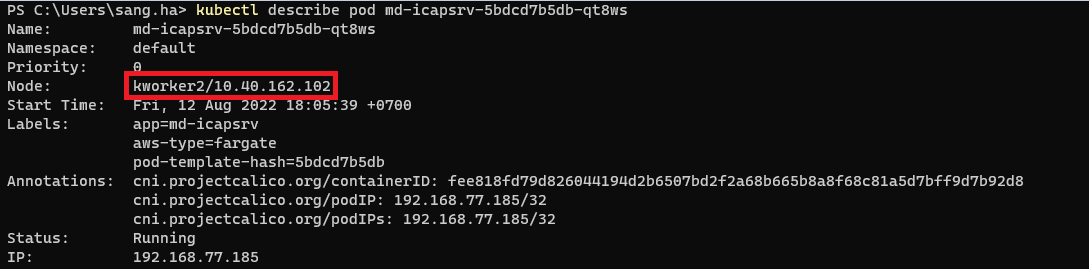
ICAP Client will connect to MetaDefender ICAP Server via below IP and Port