
Version | 5.18.0 |
|---|---|
Release date | 31 March 2026 |
Scope | This major version introduces a brand-new Workflow Visualization feature, support for additional operating systems, an enhanced user experience for Blocklist & Allowlist management by file type, My OPSWAT Central Management support for shared-database mode, along with several other system enhancements. |
Making sure to check out the Known Limitations
New Features, Improvements and Enhancements
Workflow Visualization
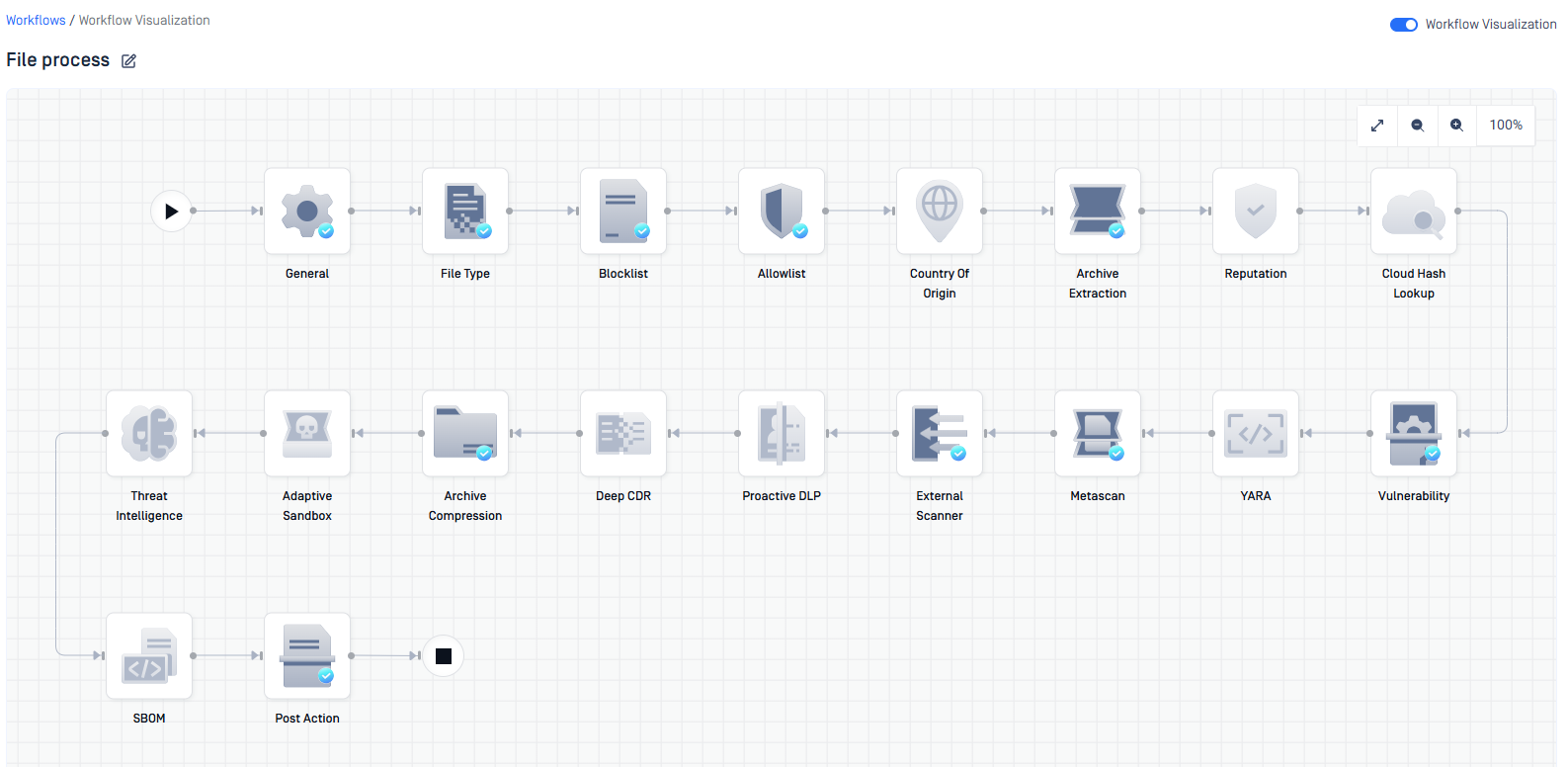
The newly introduced Workflow Visualization provides a high-level overview of scan workflows. By rendering engine execution sequences as intuitive directed graphs, this feature enables users to perform inline configuration edits and search specific settings directly within the visualization interface.
Workflow Setting Instant Lookup
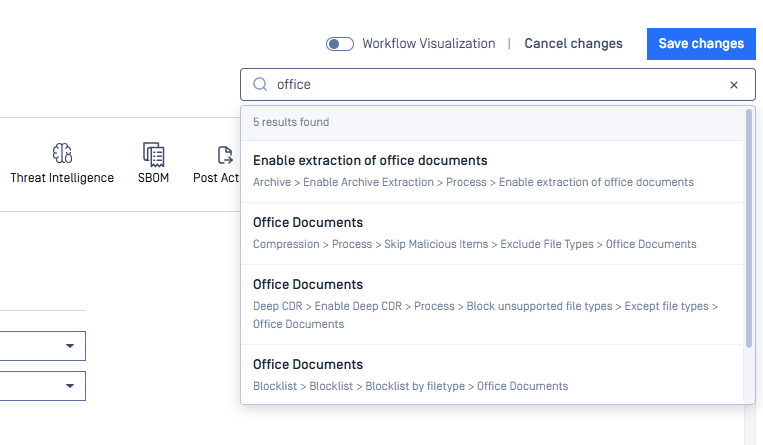
The introduction of global search functionality across workflow rule settings facilitates the instantaneous location of configurations. By providing the full breadcrumb navigation path within search results, the system allows for seamless redirection to any specific setting.
Feature Enhancement: Blocklist and Allowlist File-Type Configuration
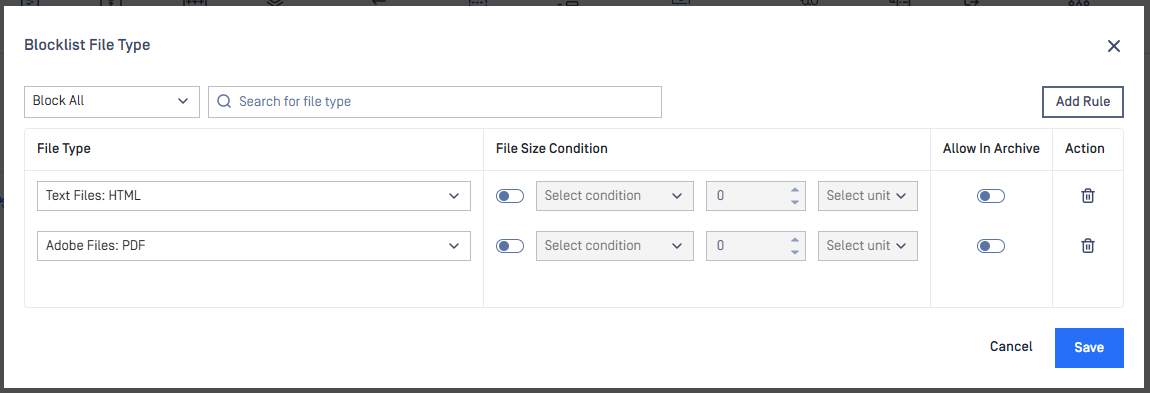
Less friction, more control. Users can now configure lists in seconds via a simplified interface, while a dedicated search feature allows for navigation to specific file types. More details at Blocklist by filetype configuration.
Connectivity Monitoring and Troubleshooting
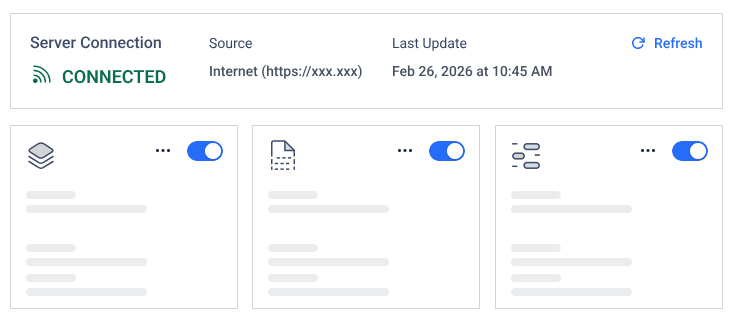
Gain immediate visibility into the connectivity status between MetaDefender Core and its update sources. The system now diagnoses update impediments and provides remediation steps to ensure all engines remain current.
Shared Database Mode supports My OPSWAT Central Management v10
Shared Database Mode is now supported for enrollment in My OPSWAT Central Management v10 (MOCM). This enhancement enables multiple instances sharing a database to be managed through MOCM, though certain limitations apply to certificate management and configuration synchronization in mixed-mode environments.
Please refer to My OPSWAT Central Management for more details.
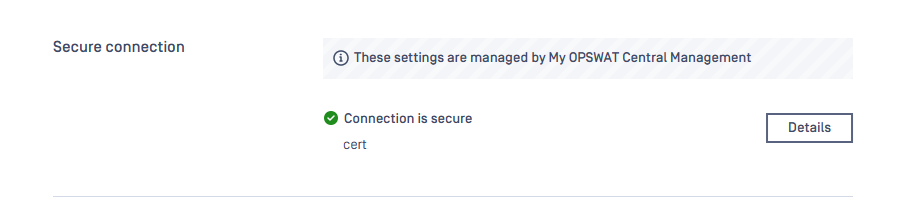
Centralized SSL/TLS Secure Connection Management
MetaDefender Core has been enhanced to support synchronization of SSL/TLS configurations with MetaDefender Managed Central Management (MOCM). This improvement allows for centralized management of secure connection settings and certificates, ensuring consistent security policies across managed instances.
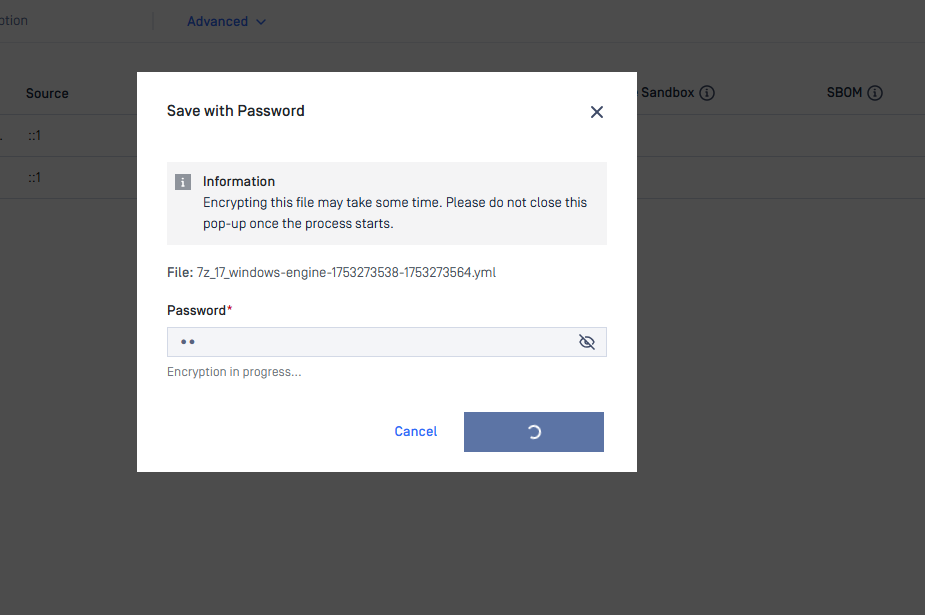
Encrypted Download for Quarantined Files
Starting from version 5.18.0, users can download quarantined files with password protection. This feature enhances security by allowing files to be encrypted during download, helping prevent accidental execution due to unintended user actions.
More details at Download quarantine files.
New OS Support
This release of MetaDefender Core introduces official supports for Debian 13, Windows 11 24H2 and Windows 11 25H2.
Note: Windows 11 only for End-User systems (e.g. Kiosk deployments).
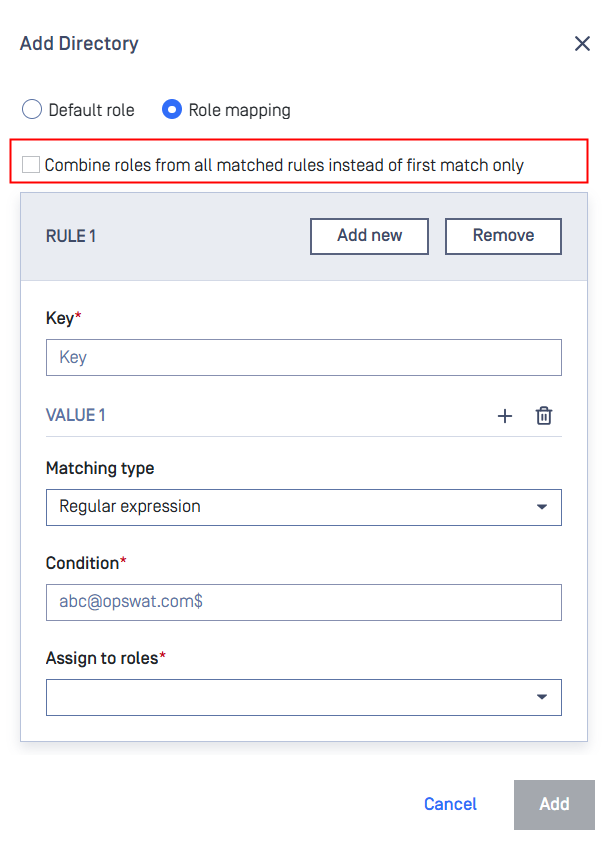
New Option to Combine SSO User Roles from All Matching Rules
SSO role mapping now supports combining roles from all matched rules, allowing users to receive a broader set of permissions when multiple mappings apply. This option is disabled by default.
Further Enhancements
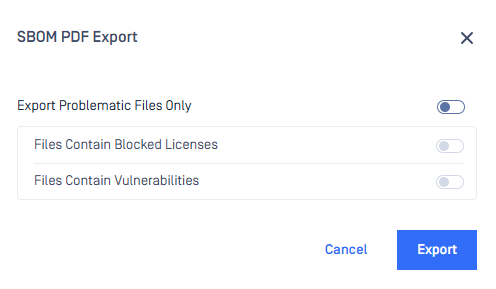
1) Selective SBOM PDF Export Options
The Software Bill of Materials (SBOM) PDF export functionality has been enhanced to allow you to selectively export only vulnerable or problematic files rather than the entire package list. This improvement significantly reduces PDF generation time for large packages and provides a more focused, concise report of security concerns.
2) Default Archive Support for Adaptive Sandbox
Adaptive Sandbox has been enhanced to enable supported archive file types by default, ensuring files such as JAR, SFX, and PKG are automatically processed for security analysis without manual configuration. This feature is available when using MetaDefender Core 5.18.0 or later in combination with Adaptive Sandbox 3.1.1 or later.
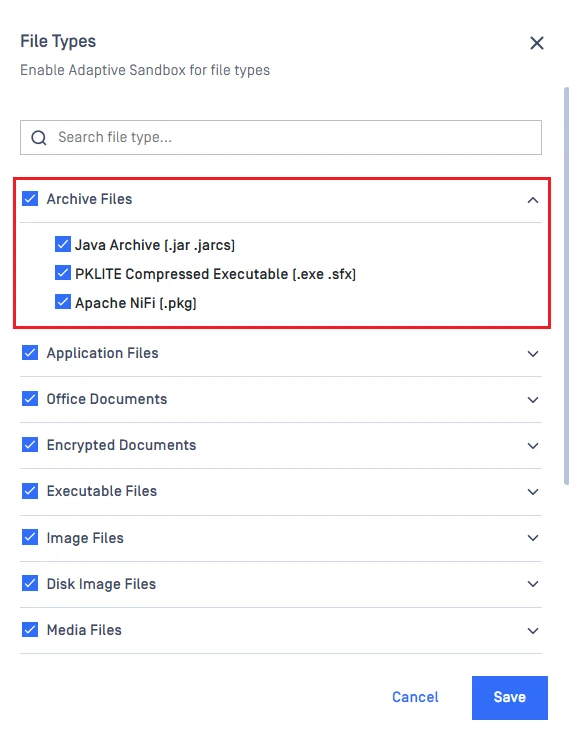
3) Granular Sandbox Trigger Rules for Deep CDR Verdicts
Adaptive Sandbox trigger rules have been enhanced to provide independent configuration options for "Sanitized" and "Sanitized Partially" verdicts. This improvement allows for more granular control, enabling users to trigger sandbox scans specifically for partially sanitized files while excluding fully sanitized ones to optimize resource usage.
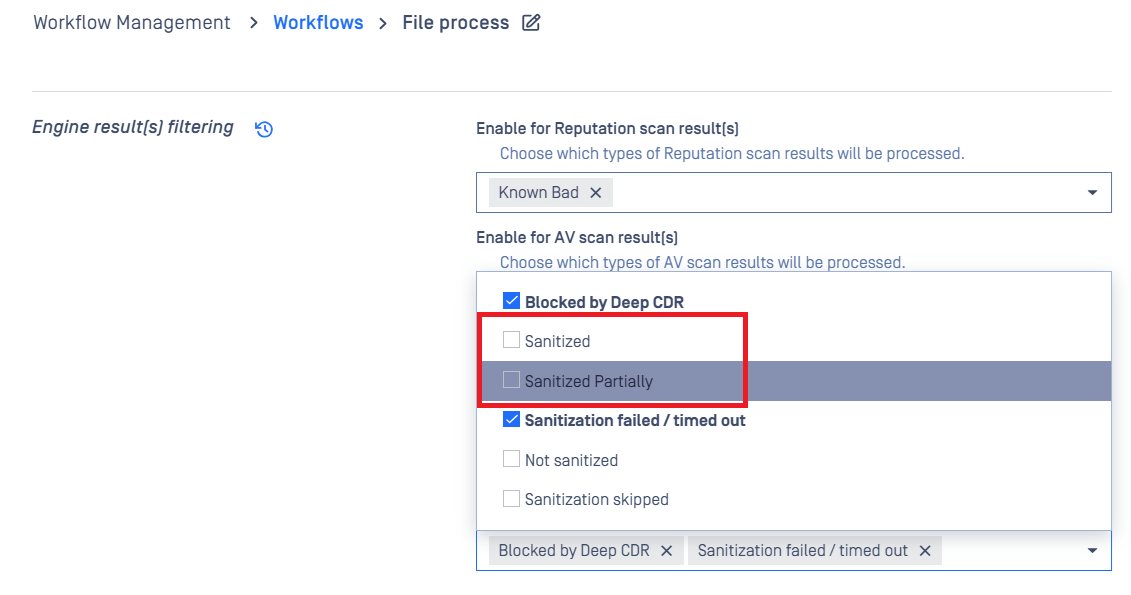
4) Enhanced workflow-level filtering of Reputation results for Adaptive Sandbox
MetaDefender Core has been enhanced to allow bypassing all other scan-result filters when a file is identified as Known Good or Known Bad by the Reputation engine. This improvement prevents unnecessary sandbox analysis for files with established reputations, optimizing system performance and resource utilization by default.

5) Support for Trailing Slashes in OCM Enrollment URLs
MetaDefender Core has been enhanced to automatically handle trailing slashes in My OPSWAT Central Management (MOCM) enrollment URLs.
6) Enhanced Archive Extraction Visibility in Scan Results
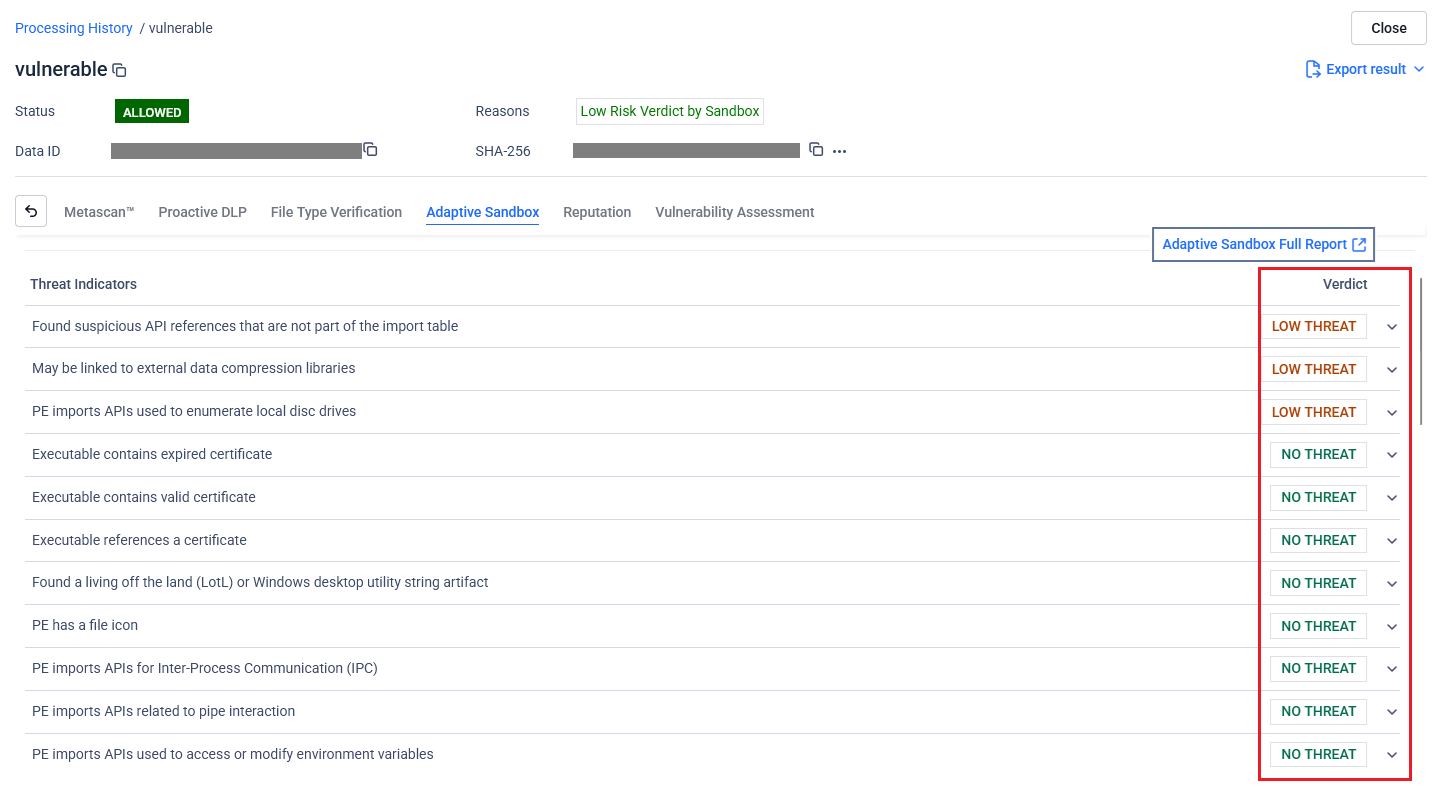
Scan results and executive reports have been improved to provide greater transparency into archive processing by including critical extraction details. These reports now explicitly display the maximum archive nesting level reached, the total number of extracted files across all nested levels, and the total size of extracted data, allowing for better configuration of workflow extraction limits.
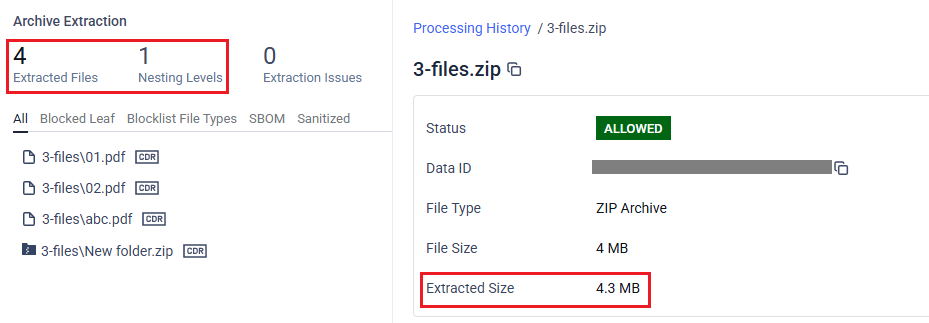
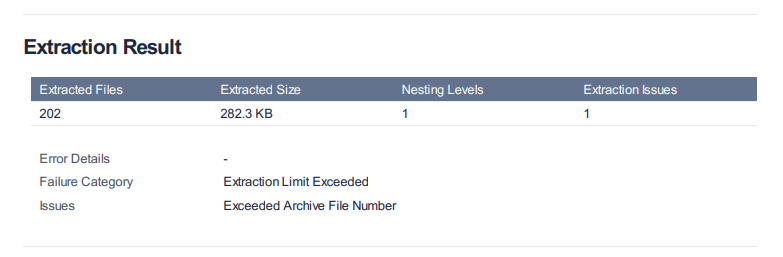
7) Clearer Extraction Status for Cancelled Archive Scans
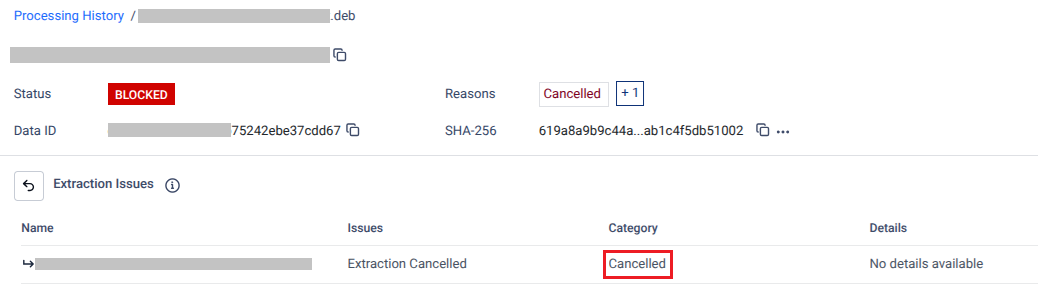
Archive extraction monitoring has been enhanced to accurately report when a scan is manually cancelled. Extraction issues previously categorized as "Extraction Error / Unknown" due to canceled are now specifically identified as "Extraction Cancelled," providing clearer visibility into scan termination and ensuring a more precise audit trail for multi-level archive processing.
8) Simplified Deep CDR Final Verdicts in API Responses
Scan result API responses (GET - Fetch Analysis Result and GET - Fetch Analysis Result By Hash) have been enhanced to include a top-level engine results object. This improvement introduces a sanitization_result field that provides a clear, simplified verdict of "Success," "Failed," or "Not Run," streamlining programmatic processing by eliminating the need to parse multiple internal fields across different file types.
9) Layout Refinements and Minor Adjustments for the PDF Processing Result Report
The PDF Processing Result Report has been improved with a more refined layout and formatting.
10) Enhanced Threat Intelligence Verdict Visualization on Dashboard
The dashboard has been enhanced to apply standardized color coding for Threat Intelligence engine verdicts, ensuring visual consistency with other analysis engines. "Allowed" verdicts now correctly display in green and "Blocked" verdicts in red within dashboard filtering and statistics.

11) Improved Formatting for Adaptive Sandbox Verdicts in Executive Reports
The Adaptive Sandbox verdict display in the Executive Report has been enhanced for better readability. Adaptive Sandbox results now utilize spaces instead of underscores and feature proper capitalization for each word.

12) Enhanced Processing Result Label Styles
The UI for processing result preference labels has been improved to align with the latest design standards, featuring updated font weights, background transparency, and refined border coloring. These enhancements ensure a consistent and modern visual experience across the management console.
13) Support new filtering for multipart/form-data request
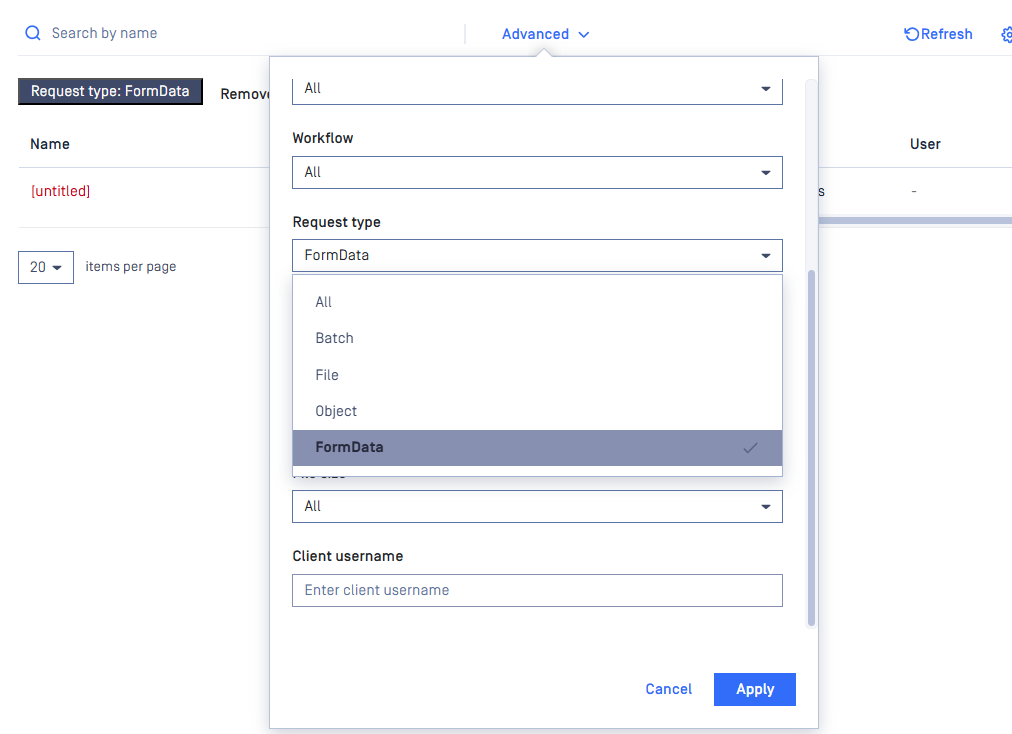
Requests using the multipart/form-data content type can now be searched in the Processing History by filtering for FormData under the Request Type.
14) Webhook optimization
Significant improvements have been made to the webhook response mechanism, enhancing stability, reducing TCP usage, and improving overall response time.
15) Multiple enhancements for generate support package
Lightweight mode: Optional lightweight support package reduces size and shortens generation time by collecting a smaller diagnostic set.
Custom time range: Support package generation for MetaDefender Core supports a custom time range so collected logs and data match the period you select.
16) Email notification enhancement
Out-of-date definitions (per engine): Administrators can control out-of-date definition notifications per engine instead of a single global setting.
Scheduled reports: quarterly period - Adds Quarterly as an option for report time range and schedule time. The history report covers the full calendar quarter; the email is sent on the first day of the next quarter at the hour the user picks in the web console.
Security Enhancements
Enhanced log file security and validation: the log file configuration has been enhanced to include strict path and extension validation, preventing the use of unauthorized locations or system files. This improvement ensures system integrity by restricting log files to approved formats such as .log, .txt, .json, .csv, and .out.
Upgraded 3rd party libraries:
NGINX v1.29.7
OpenSSL v3.5.5
PostgreSQL v14.22
7z v26.00
Zlib v1.3.2
Nghttp2 v1.68.1
Starting from version 5.17.1, asynchronous scan of MetaDefender Core officially supports a new content type, Content-Type: multipart/form-data. Clients can utilize it to submit multiple files in one request payload. The product will treat and process each part of the form-data as an individual file and associated with the same batch-like scan.
This new method is incompatible with:
Requests containing any of the following headers: batch, filepath, sanitizedurl, downloadfrom.
Synchronous scan.
Before upgrading to v5.17.1 or later, please
Verify whether your client applications are using a relevant Content-Type header and its corresponding payload for Analyze File (Asynchronous mode) - POST /file:
Content-Type: application/octet-stream: The payload must contain exactly one file's content.Content-Type: multipart/form-data: The payload may contain multiple files' content and must strictly adhere to the standard format (includingContent-Disposition,Content-Type, and the raw data). Non-compliant payload will result in an HTTP 400 error and the message: "Invalid multipart/form-data payload received".
Verify that client-side parsing logic for the endpoint Analyze File (Asynchronous mode) - POST /file aligns with the submitted
Content-Typeheader:
Content-Type: application/octet-stream: The API returns adata_id.Content-Type: multipart/form-data: The API returns abatch_id.
Any improper implementations sending non-standard payload or expecting a
data_idwhile using multipart/form-data headers must be refactored.
Bug Fixes
Fixed an issue where the system would potentially crash when a package or engine was removed while still being downloaded.
Fixed an issue where initiating multiple license activation requests concurrently could potentially cause engine reloads to time out or fail.
Resolved an issue where exported PDF results for Threat Intelligence engines would display incorrect or redundant options when the engine name was changed.
Fixed an issue where validation icons failed to appear in error messages when the synchronization time was out of range.
Fixed an issue where pickup folder is empty and cannot monitor after network issue/or folder not found.
Fix an issue that prevented Proactive DLP engine from being deployed on Windows due to the long file path limitation.
Fix an issue where 1 MB
multipart/form-datarequests failed when submitted to MetaDefender Core.Fix an issue where MetaDefender Core failed to parse
multipart/form-datarequests when the boundary parameter was enclosed in quotes.
Known Limitations
Kubernetes v1.35 or containerd v2.2.0 could not deploy MetaDefender Core images | This issue is a bug of Until the vendor provides a fix, use one of the following mitigations:
More details at Unable to deploy MetaDefender Core in Kubernetes with containerd engine 2.2.x | |
Slow or Inaccessible Management Console | This issue has been resolved in version 5.13.2 In version 5.12.0, an issue was identified that caused some APIs to load more slowly than expected. As a result, the Web Management Console might experience slower performance or become unresponsive Please read more details on this page: Slow or Inaccessible Management Console. | |
The 'Proxy server requires password' setting cannot be disabled once it has been enabled | This issue has been resolved in version 5.14.2. In version 5.14.1, there was an issue that prevented disabling the | |
Database connection failure occurred in a specific circumstance after upgrading to version 5.11.0 | This issue has been resolved in version 5.11.1. This issue does not affect all cases when upgrading to version 5.11.0. After applying the authentication method
We prepare a Knowledge Base (KB) for troubleshooting the issue and bringing the system back online: How to troubleshoot an error related to connection to database failing after an upgrade to v5.11.0? The issue will not occur in the following scenarios:
| |
Archive compression may fail with very large archive files that contain a large number of subfiles | This issue has been addressed in version 5.14.0. MetaDefender Core has a limitation when compressing very large archive files that contain a high number of subfiles. In our test scenario, it failed when processing an archive with 300,000 or more subfiles. | |
Reuse processing result by hash might be slow in high-load situations | This issue has been resolved in version 5.10.1. Since its introduction in version 5.8.0, this feature has helped improve overall performance and reduce significant load when processing similar files. However, we have realized this feature might run slowly in high-load scenarios against large database sizes. | |
Temporary files in the resource folder may not be properly cleaned up if the Archive Extraction engine crashes | Starting from MetaDefender Core version 5.10.1, if the Archive Extraction engine crashes, temporary files from specific extraction transactions may not be properly cleaned up. However, this issue is relatively rare. | |
Reject importing non-empty required_engines setting in containerized environments | This issue occurs only in containerized environments. If the config zip file includes non-empty required_engines setting, MetaDefender Core will reject the import. Workaround:
| |
The Engine Update feature may not work as expected in certain environments | We have observed that the Engine Update feature may not work properly in an environment protected by a Palo Alto firewall. In the log file, you might find the error message ' If upgrading to the latest version of MetaDefender Core does not solve the issue, please consider setting up MetaDefender Update Downloader product. This product is responsible for downloading engines, and MetaDefender Core will retrieve and update its engines from there. | |
Stability issues on Red Hat / CentOS systems with kernel version 372.13 | MetaDefender Core version 5.2.1 or later may not function correctly with Red Hat or CentOS operating systems that use kernel 372.13. Red Hat is addressing the kernel issues. Please try upgrading to kernel version 372.26. | |
PostgreSQL and MetaDefender Core services cannot initialize in certain containerized environments | This issue was addressed in version 5.11.1. In a containerized environment, MetaDefender Core version 5.2.0 or newer may work properly when:
Workarounds for older versions:
| |
MetaDefender Core's NGINX web server will not start if weak cipher suites are used for HTTPS | On MetaDefender Core version 5.2.0 and later, OpenSSL 1.x has been replaced by OpenSSL 3.x within the product and its dependencies, including PostgreSQL and NGINX, to enhance security and address known vulnerabilities in OpenSSL 1.x. However, NGINX's implementation of OpenSSL 3.x in MetaDefender Core enforces strong encryption by rejecting all weak cipher suites. It only accepts "HIGH" encryption cipher suites as defined by OpenSSL https://www.openssl.org/docs/man1.1.1/man1/ciphers.html. This means ciphers based on MD5 and SHA1 hashing are no longer supported. Consequently, if you previously configured MetaDefender Core for HTTPS connections using a weak SSL cipher with your certificate, the service will not start due to NGINX's OpenSSL 3.x security enforcement. To prevent and remediate the issue before upgrading MetaDefender Core, please refer to the following resources: HTTPS Failure on MetaDefender Core 5.2.0 (or newer). | |
TCP socket port exhaustion may cause the service trouble, preventing from restarting, and Workflow configuration corrupted | This issue affected MetaDefender Core (MD Core) version 5.15.0 and earlier and is enhanced starting from version 5.15.1. TCP socket port exhaustion might be triggered by other applications; for example, MetaDefender KIOSK v4.7.6.3514 (fixed in later releases). Consequently, MD Core may behave abnormally, corrupt its Workflow Configuration, and fail to restart. | |
Workflow configuration fails to synchronize from OPSWAT Central Management to MetaDefender Core after creating a new Workflow template | This issue affects MetaDefender Core versions 5.17.0 and 5.17.1. Workflow configuration from OPSWAT Central Management will fail to synchronize to MetaDefender Core (MD Core) once a new Workflow template is created. To restore normal synchronization, the newly created Workflow template must be deleted. As a workaround for creating new templates on these affected MD Core versions, the Clone Workflow Template feature can be used as an alternative. |